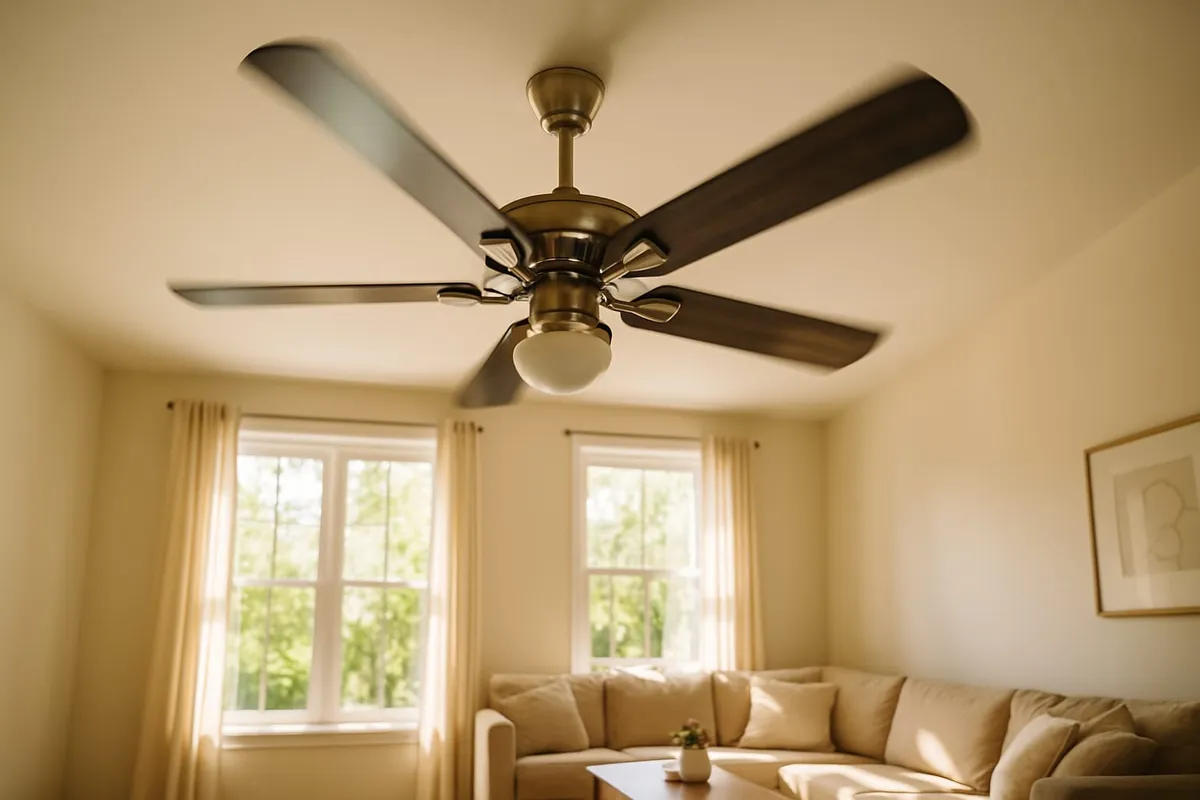
Most homeowners use their ceiling fans throughout the year without realizing there is a right and wrong direction for each season. Simply flipping a switch on your ceiling fan can make your rooms feel up to 4 degrees cooler in summer and help distribute warm air more evenly in winter, saving you money on both heating and cooling bills.
What You Will Need
- A step stool or ladder (to reach the direction switch on the fan)
- A flashlight (optional, to see the switch)
Time estimate: 2 to 5 minutes per fan Difficulty level: Beginner
The Simple Rule
- Summer: Counterclockwise (when looking up at the fan from below)
- Winter: Clockwise (when looking up at the fan from below)
That is the essential takeaway. Read on for the details of why this works, how to check and change your fan direction, and how to maximize your energy savings.
Summer: Counterclockwise Direction
Why Counterclockwise?
When a ceiling fan spins counterclockwise, the blade angle pushes air straight down, creating a downdraft. This downdraft produces a wind chill effect on your skin, making you feel 4 to 6 degrees cooler without actually changing the room temperature.
Recommended Settings for Summer
- Direction: Counterclockwise
- Speed: Medium to high
- Thermostat adjustment: Raise your thermostat by 4 degrees to maintain the same comfort level while saving on AC costs
How It Saves Money
According to the Department of Energy, using ceiling fans in conjunction with raising your thermostat can reduce cooling costs significantly. Since fans use far less electricity than air conditioning (about 1 to 3 cents per hour versus 25 to 75 cents per hour for central AC), the net savings are substantial.
Important: Ceiling fans cool people, not rooms. Turn fans off when you leave a room to avoid wasting electricity.
Winter: Clockwise Direction
Why Clockwise?
When a ceiling fan spins clockwise on a low speed, it creates an updraft. This pulls cooler air up from the floor level and pushes warm air that has naturally risen to the ceiling down along the walls and back into the living space. The result is more even temperature distribution throughout the room without creating a noticeable breeze.
Recommended Settings for Winter
- Direction: Clockwise
- Speed: Low (a slow speed is important; higher speeds create a cooling breeze that defeats the purpose)
- Thermostat adjustment: Lower your thermostat by 2 to 3 degrees while maintaining the same perceived comfort
Why Low Speed Matters
At high speed, even in the clockwise direction, the fan creates enough air movement to produce a wind chill effect, making the room feel cooler instead of warmer. The goal in winter is gentle air circulation that redistributes warm air without creating a draft.
When It Helps Most
Clockwise rotation is most beneficial in rooms with:
- High ceilings (9 feet or more) where warm air collects well above head level
- Cathedral or vaulted ceilings
- Two-story rooms or open staircases
- Rooms heated by a fireplace (helps circulate the warmth)
In rooms with standard 8-foot ceilings, the benefit is less dramatic but still noticeable.
How to Check Your Ceiling Fan Direction
Method 1: Stand Under the Fan
- Turn the fan on at low speed.
- Stand directly beneath it and look up.
- Watch the blades rotate:
- If the blades move from right to left (counterclockwise), the fan is in summer mode.
- If the blades move from left to right (clockwise), the fan is in winter mode.
Method 2: Feel the Airflow
- Turn the fan on at medium speed.
- Stand directly beneath it.
- If you feel a strong downward breeze, the fan is in summer mode (counterclockwise).
- If you feel little to no breeze, the fan is likely in winter mode (clockwise).
How to Change Ceiling Fan Direction
Step 1: Turn Off the Fan
Turn the fan off and wait for the blades to come to a complete stop. Never flip the direction switch while the fan is spinning, as this can damage the motor.
Step 2: Locate the Direction Switch
The direction switch is typically a small toggle or slide switch located on the motor housing of the fan, just below where the blades attach. You may need a step stool to reach it.
- On some fans, the switch is on the side of the motor housing.
- On newer remote-controlled fans, the direction may be changed using the remote control or a wall control panel.
- Some smart ceiling fans can be controlled via an app, including direction changes.
Step 3: Flip the Switch
Slide or toggle the switch to the opposite position. There is usually no labeling for summer versus winter; the switch simply reverses the rotation direction.
Step 4: Turn the Fan On and Verify
Turn the fan on at low speed and verify the new direction using the methods described above. Adjust the speed to the appropriate level for the season.
Energy Savings Calculator
The savings from proper ceiling fan use depend on how much you adjust your thermostat:
| Season | Fan Setting | Thermostat Adjustment |
|---|---|---|
| Summer | Counterclockwise, medium-high | Raise AC by 4 degrees |
| Winter | Clockwise, low | Lower heat by 2 degrees |
| Combined | Both seasons | Both adjustments |
Actual savings depend on the number of fans you run, your local energy rates, and how consistently you adjust your thermostat.
Use our energy savings calculator for a personalized estimate, or check our thermostat savings calculator to see how temperature adjustments affect your bill.
Safety Warnings
- Never flip the direction switch while the fan is spinning. Wait for the blades to stop completely.
- Use a stable step stool or ladder to reach the switch. Do not stand on chairs, tables, or unstable surfaces.
- If the fan wobbles excessively, tighten the blade screws and check that all blades are equally balanced before continuing use. Wobbling can be a sign of a loose blade bracket or a bent blade.
- Dust the fan blades before changing direction for the season. Dusty blades are less efficient and can distribute allergens when first turned on.
When to Call a Professional
Changing your ceiling fan direction is a simple DIY task. However, call a professional if:
- The direction switch is stuck, broken, or missing
- The fan motor makes grinding or humming noises
- The fan wobbles severely even after tightening blade screws
- You want to install a new ceiling fan or replace an old one
- The fan is wired without a direction switch and you need one added
Related Tips
- Clean fan blades every season when you switch directions. Use a damp cloth or a pillowcase slipped over each blade to capture dust without spreading it.
- Combine fan use with thermostat adjustments to maximize savings. See our guide on what temperature to set your thermostat.
- Consider ENERGY STAR ceiling fans, which are 60 percent more efficient than standard models. They move air more effectively, providing more comfort at lower speeds and electricity costs.
Frequently Asked Questions
Does it matter if my ceiling fan spins the wrong direction?
It will not damage the fan, but it will work against you. Running the fan counterclockwise in winter creates a cooling breeze when you want warmth. Running it clockwise in summer pushes air up instead of down, providing no cooling benefit while still using electricity.
Should I leave my ceiling fan on when I am not in the room?
No. Ceiling fans cool people through wind chill, not by lowering the actual air temperature. Running a fan in an empty room wastes electricity with no benefit. Always turn fans off when leaving a room.
Do ceiling fans work in rooms with low ceilings?
Yes, but the effect is less pronounced. For rooms with 8-foot ceilings, choose a low-profile or flush-mount fan. The fan should be at least 7 feet above the floor for safety and at least 18 inches from the nearest wall for optimal airflow.
Can ceiling fans replace air conditioning?
No. Ceiling fans create a wind chill effect that makes you feel cooler, but they do not actually lower the room temperature. They work best as a supplement to AC, allowing you to raise the thermostat while maintaining comfort. In very hot climates, ceiling fans alone are not sufficient.
Next Steps
Ceiling fans are most effective when paired with the right thermostat settings and habits. Here is where to go next:
- See your savings in dollars — Plug your home details into our Energy Cost Calculator to find out how much raising the thermostat by 4 degrees actually saves each month when you use fans.
- Lock in the right thermostat settings — Our guide on the best thermostat settings to save money covers the DOE-recommended temperatures for every season and how to make them comfortable with fan use.
- Stack more savings — Ceiling fans are one of 20 strategies in our guide on how to lower your electric bill, which covers everything from LED lighting to air sealing.
- Estimate total energy savings — Our Energy Savings Calculator shows how much you could save by combining fan use, thermostat adjustments, and system upgrades.
- Ready to talk? — Contact us for a free evaluation.
Looking to improve your home’s comfort and energy efficiency? In Central Texas, Texas Temp Masters can help optimize your HVAC system to work alongside ceiling fans for maximum savings. Call (817) 704-0706 or visit our contact page to learn more.