Your thermostat setting is the single biggest lever you have for controlling your heating and cooling costs. The U.S. Department of Energy (DOE) estimates that simply adjusting your thermostat by 7 to 10 degrees for 8 hours per day can save approximately 10 percent per year on heating and cooling bills. For most households, that adds up to a meaningful dent in the annual energy bill.
But what are the best settings for each season, and how do you balance savings with comfort? This guide breaks down the DOE and ENERGY STAR recommendations and shows you how to implement them effectively.
The DOE’s Recommended Settings at a Glance
| Season | Home & Awake | Away (4+ hours) | Sleeping |
|---|---|---|---|
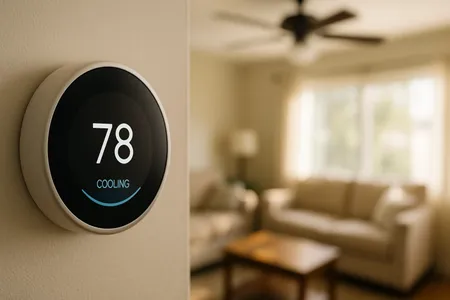
| Summer | 78 degrees F | 85 degrees F | 82 degrees F |
| Winter | 68 degrees F | 58–62 degrees F | 62–66 degrees F |
These settings represent the optimal balance between comfort and energy savings according to decades of DOE research. Let us examine why these numbers work and how to make them comfortable.
Summer Settings: The 78-Degree Standard
Why 78 Degrees?
The DOE’s recommendation of 78 degrees Fahrenheit when you are home and active during summer is based on extensive research into the relationship between thermostat settings, energy consumption, and human comfort.
Key data points:
- Each degree below 78 increases cooling costs by approximately 3 to 4 percent.
- Setting the thermostat to 72 instead of 78 costs roughly 18 to 24 percent more.
- At 78 degrees with moderate humidity, most people are comfortable in lightweight indoor clothing.
The 85-Degree Away Setting
Raising the thermostat to 85 degrees when you leave for four or more hours saves significant energy. A common misconception is that your AC uses more energy to re-cool the house than it saves while you are away. The DOE has confirmed this is false. Your system saves energy during every minute it runs less, and the re-cooling period is far shorter than the time you were away.
The 82-Degree Sleep Setting
Research suggests that humans sleep best in cooler temperatures (60 to 67 degrees according to the National Sleep Foundation), but 82 degrees with a ceiling fan provides sufficient comfort for many people during summer nights. If 82 is too warm for sleeping, try 78 to 80 degrees as a compromise.
Making Summer Settings Comfortable
If 78 degrees feels warm at first, try these strategies:
-
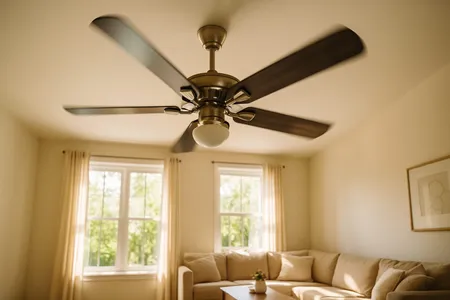
Use ceiling fans. A ceiling fan makes 78 degrees feel like 72 to 74 degrees through the wind chill effect. Run fans counterclockwise in summer and turn them off when you leave the room. See our ceiling fan direction guide.
-
Control humidity. High humidity makes the same temperature feel significantly warmer. Run bathroom and kitchen exhaust fans, use your AC’s “Auto” fan setting rather than “On,” and consider a dehumidifier in particularly humid areas.
-
Block solar heat gain. Close blinds, shades, or curtains on south-facing and west-facing windows during the afternoon. Thermal or blackout curtains are most effective. Solar heat through windows can raise indoor temperatures by several degrees.
-
Cook smart. Use the microwave, slow cooker, or outdoor grill instead of the oven during hot afternoons to avoid adding heat to your home.
-
Acclimate gradually. If you currently set your thermostat to 72, do not jump to 78 overnight. Raise it by one degree every few days. Your body adjusts to the new normal within a week or two.
Winter Settings: The 68-Degree Standard
Why 68 Degrees?
During winter, the DOE recommends 68 degrees Fahrenheit when you are home and awake. At this temperature, most people are comfortable in typical indoor clothing (long sleeves and pants).
Key data points:
- Each degree above 68 increases heating costs by approximately 3 percent.
- Setting the thermostat to 72 instead of 68 costs roughly 12 percent more.
- The temperature gap between indoor and outdoor temperatures drives heating costs. A smaller gap means lower costs.
The 58-62 Degree Away Setting
When you leave for work or an extended outing, lowering the thermostat to 58 to 62 degrees provides substantial savings. The precise temperature depends on:
- Whether you have pets at home (keep it at 62 to 65 degrees for pets)
- Your home’s insulation quality
- Outdoor temperatures (do not go below 55 degrees to prevent pipe freezing)
The 62-66 Degree Nighttime Setting
Lowering the thermostat by 4 to 8 degrees at night aligns with the body’s natural temperature preference during sleep. Most people sleep better in cooler conditions, making this a win for both savings and sleep quality.
Making Winter Settings Comfortable
-
Reverse ceiling fans. Set fans to clockwise on low speed to push warm air that collects at the ceiling down into the room. This can make 68 degrees feel 2 to 3 degrees warmer.
-
Layer up. Wearing a warm sweater and socks indoors is free and lets you keep the thermostat lower without discomfort.
-
Use thermal curtains. Open them during the day to let sunlight in (free solar heat) and close them at night to insulate against cold windows.
-
Seal drafts. Cold air infiltration around windows and doors makes 68 degrees feel much colder. Weather stripping and caulk cost a few dollars and make a big difference.
-
Supplement with a space heater. In the room where you spend the most time, a space heater lets you keep the whole-house thermostat lower while maintaining comfort in that one room. Just remember to turn it off when you leave.
Special Considerations
Heat Pump Settings
Heat pumps require a different approach than gas furnaces. Large temperature setbacks (7 to 10 degrees) can trigger auxiliary electric resistance heat during recovery, which is significantly more expensive to operate.
For heat pump homes:
- Limit setbacks to 2 to 3 degrees
- Use a heat pump-compatible smart thermostat that manages recovery gradually
- Avoid “emergency heat” mode unless your heat pump has completely failed
Homes with Zoned Systems
If your home has a zoned HVAC system with multiple thermostats:
- Set occupied zones to the standard recommendations
- Set unoccupied zones 5 to 10 degrees higher (summer) or lower (winter)
- Keep all zones above 55 degrees in winter to prevent pipe freezing
- Close doors between zones to maintain separation
Homes with Elderly Residents
Older adults are more sensitive to temperature extremes and may need warmer settings in winter (70 to 72 degrees) and cooler settings in summer (74 to 76 degrees). Health and comfort should always take priority over energy savings.
Homes with Infants
Pediatricians recommend maintaining 68 to 72 degrees for rooms where babies sleep, year-round. Overheating during sleep is a risk factor for SIDS, so avoid temperatures above 72 degrees in the nursery.
How Much Can You Save?
The DOE’s 10 percent estimate is an average. Your actual savings depend on climate, home efficiency, and current habits — moving off a 72-degree year-round setting, adding an away setback, and adding a nighttime setback each save something on their own, and combining all three compounds the total. Use our thermostat savings calculator to get a personalized estimate based on your specific situation.
Programmable vs. Smart Thermostats
Why Automation Matters
The DOE’s recommendations are only effective if you actually follow them consistently. Programmable and smart thermostats automate the process so you save money without having to think about it.
Programmable Thermostats
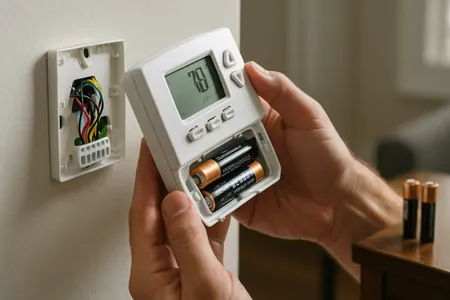
Basic programmable models let you set schedules for weekdays and weekends. Program the settings below once and forget about it:
Sample Weekday Schedule (Winter):
| Time | Setting |
|---|---|
| 6:00 AM | 68 degrees (wake up) |
| 8:00 AM | 60 degrees (leave for work) |
| 5:00 PM | 68 degrees (arrive home) |
| 10:00 PM | 62 degrees (sleep) |
Smart Thermostats
Smart thermostats offer additional savings through:
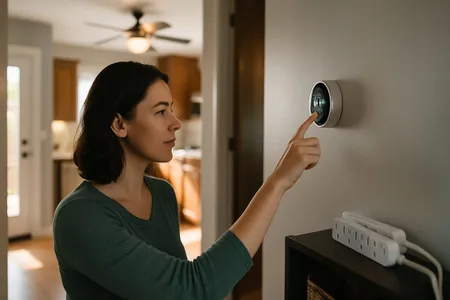
- Learning algorithms: Devices like the Nest Learning Thermostat observe your patterns and create schedules automatically.
- Geofencing: The thermostat uses your phone’s location to detect when you leave and arrive, adjusting temperatures in real time.
- Energy reports: Monthly reports show usage patterns and suggest adjustments.
- Remote access: Adjust settings from anywhere via your phone.
- Utility integration: Some smart thermostats connect to utility demand-response programs, earning additional credits.
ENERGY STAR estimates that certified smart thermostats save about $50 per year on average, with some users saving $100 or more.
Smart Thermostat Recommendations
- Google Nest Learning Thermostat: Best for learning your habits automatically
- Ecobee Smart Thermostat: Best for homes with hot/cold spots (includes room sensors)
- Honeywell Home T9: Good all-around option with room sensors
- Amazon Smart Thermostat: Best budget option for Alexa users
All of these qualify for potential utility rebates. Check with your energy provider before purchasing.
Common Myths About Thermostat Settings
Myth: It Costs More to Reheat or Re-Cool the House Than to Maintain a Constant Temperature
False. The DOE has confirmed that you save energy every minute your HVAC system is off or running less. The extra energy needed to re-cool or reheat the house after a setback is always less than the energy saved during the setback period.
Myth: Cranking the Thermostat to 60 Cools the House Faster
False. Your AC has one speed of cooling output (unless you have a variable-speed system). Setting the thermostat to 60 when you want 78 does not cool the house faster. It just makes the system run longer, potentially overshooting and wasting energy.
Myth: Closing Vents in Unused Rooms Saves Energy
Mostly false. Closing vents increases pressure in the ductwork, which can cause leaks, reduce system efficiency, and strain the blower motor. Modern HVAC systems are designed to operate with all vents open.
Myth: The Fan Setting “On” Is Better Than “Auto”
False for efficiency. The “On” setting runs the fan continuously, even when the system is not heating or cooling. This uses noticeably more electricity over a year and can increase humidity in summer by re-evaporating moisture from the coil. Use “Auto” for maximum efficiency.
Frequently Asked Questions
What if my household cannot agree on a temperature?
Zone heating and cooling with a dual-zone or multi-zone system lets different household members control temperatures independently. Alternatively, use personal comfort strategies (fans, layers, blankets) to bridge the gap.
Are space heaters more efficient than turning up the thermostat?
Space heaters are more cost-effective only when heating a single small room while the rest of the house stays at a lower temperature. If you are heating multiple rooms, your central heating system is more efficient.
How do I know if my thermostat is accurate?
Place a digital thermometer next to your thermostat and compare readings after 15 minutes. A difference of more than 2 to 3 degrees suggests the thermostat needs calibration or replacement. Also check that the thermostat is not in direct sunlight, near a heat source, or on an exterior wall.
What is the best thermostat for saving money?
Any thermostat that you will actually program and use correctly saves money. A smart thermostat provides the best savings for most people because it automates adjustments and adapts to your lifestyle. If you tend to forget to adjust a manual thermostat, upgrading to a smart model is one of the best investments you can make.
Next Steps
Now that you know the optimal settings, take the next step toward lower bills:
- Calculate your savings — Plug your current and adjusted settings into our Energy Cost Calculator to see exactly how much each degree change saves per month.
- See what an upgrade would save — Our Energy Savings Calculator compares your current system’s efficiency to a new unit so you can decide if upgrading makes sense.
- Budget for a smart thermostat — Curious what installation costs? Our thermostat installation cost guide covers pricing for every thermostat type and wiring scenario.
- Find more ways to cut your bill — Thermostat settings are just one lever. Our guide on how to lower your electric bill covers 20 additional strategies that stack on top of your thermostat savings.
- Ready to talk? — Contact us for a free evaluation.
Want to optimize your thermostat settings and maximize energy savings? In Central Texas, Texas Temp Masters can install smart thermostats, perform energy assessments, and tune up your HVAC system for peak efficiency. Call (817) 704-0706 or visit our contact page to get started.